
Quick Answer
Gray Zone Warfare runs on Steam Deck through Proton, but only at about 30 FPS with everything on Low. On update 0.5.0.1, use Proton 11.0-2, 800p fullscreen, the Low quality preset and 3D Resolution at 33. Valve lists the game as unsupported on SteamOS, so treat it as a playable-but-rough setup, not a smooth one.
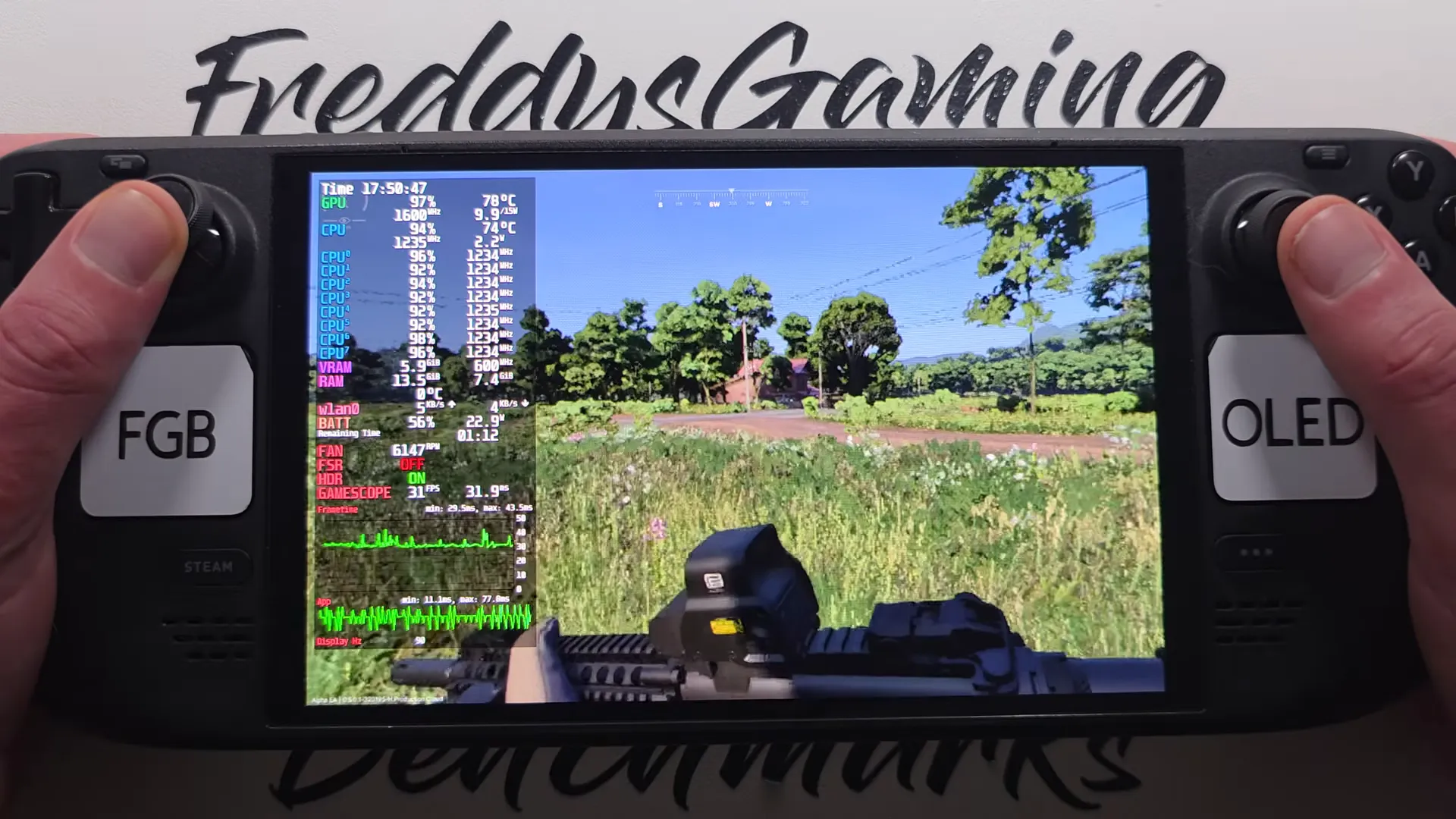
Update 0.5.0.1 on a Steam Deck OLED at the lowest settings: 31 FPS, with the GPU at 97% and the CPU at 94%.
Shown at 05:00 in FreddysGamingBenchmarks’s video.Can you play Gray Zone Warfare on Steam Deck?
Yes, it launches and plays, but it is not supported. Steam's compatibility check marks Gray Zone Warfare as unsupported on SteamOS, and Windows is the only listed supported operating system. You install it like any other game and run it through Proton.
| Item | Status |
|---|---|
| Steam Deck compatibility | Unsupported |
| Runs through Proton | Yes |
| Tested version | Update 0.5.0.1 |
| Install size | About 26 GB |
How do you set up SteamOS and Proton to launch the game?
Force Proton 11.0-2 in the game's properties and leave the launch options empty.
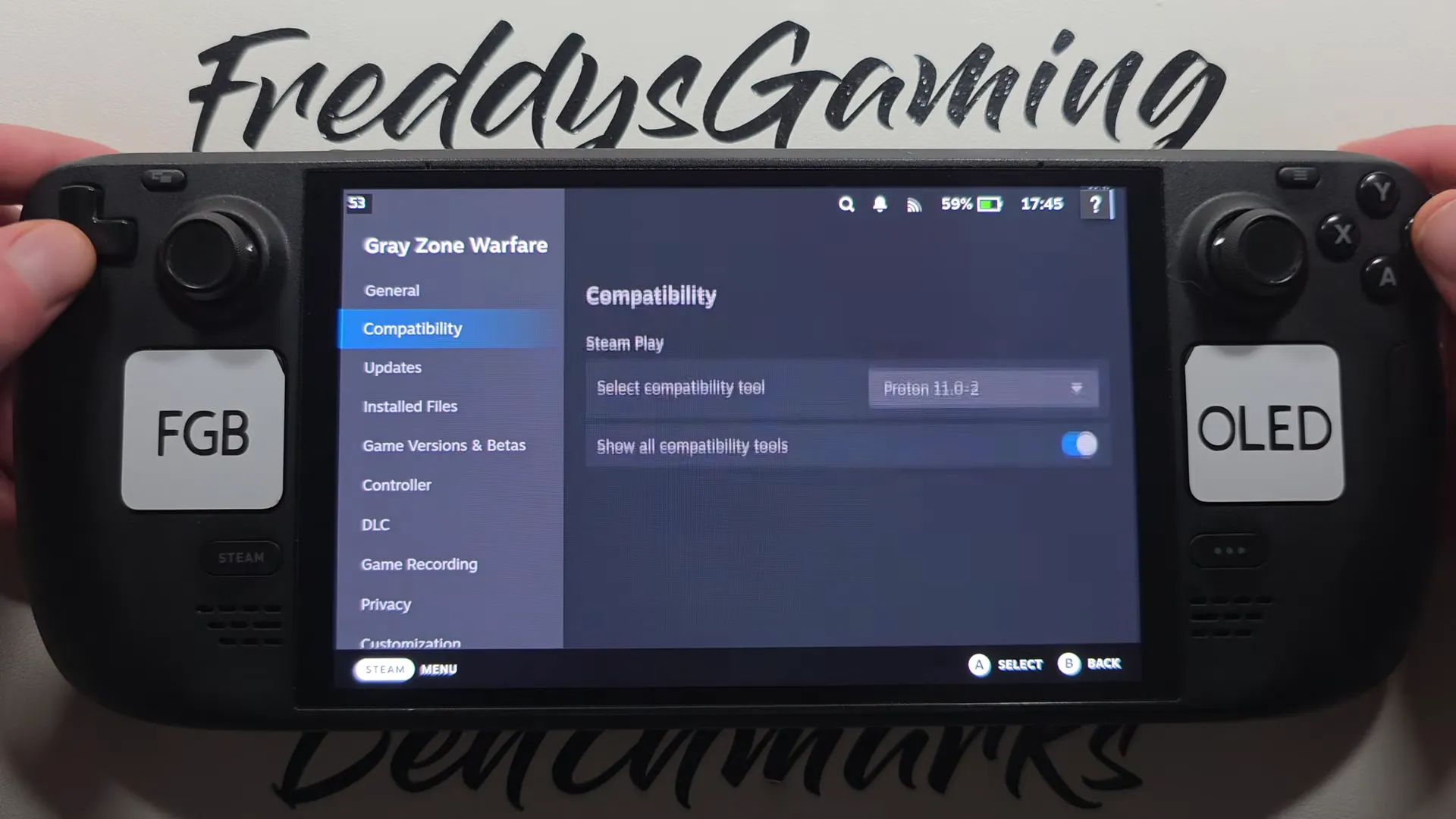
The Compatibility tab in the game's Steam properties, with Proton 11.0-2 selected under Steam Play.
Shown at 00:12 in FreddysGamingBenchmarks’s video.Open the game's properties
Press the gear icon on the Gray Zone Warfare library page and open Properties.
Pick the Proton version
Go to Compatibility, turn on the compatibility tool and select Proton 11.0-2.
Install the latest update and launch
Make sure the Rogue Ops update is installed before you launch. It fixes the Linux bug where two game files got modified and the next launch failed with EAC Client Violation.
What graphics settings and performance should you expect on Steam Deck?
Expect around 30 FPS at the lowest settings. Everything is already at the bottom of the scale here, so there is no hidden setting that makes it smooth.
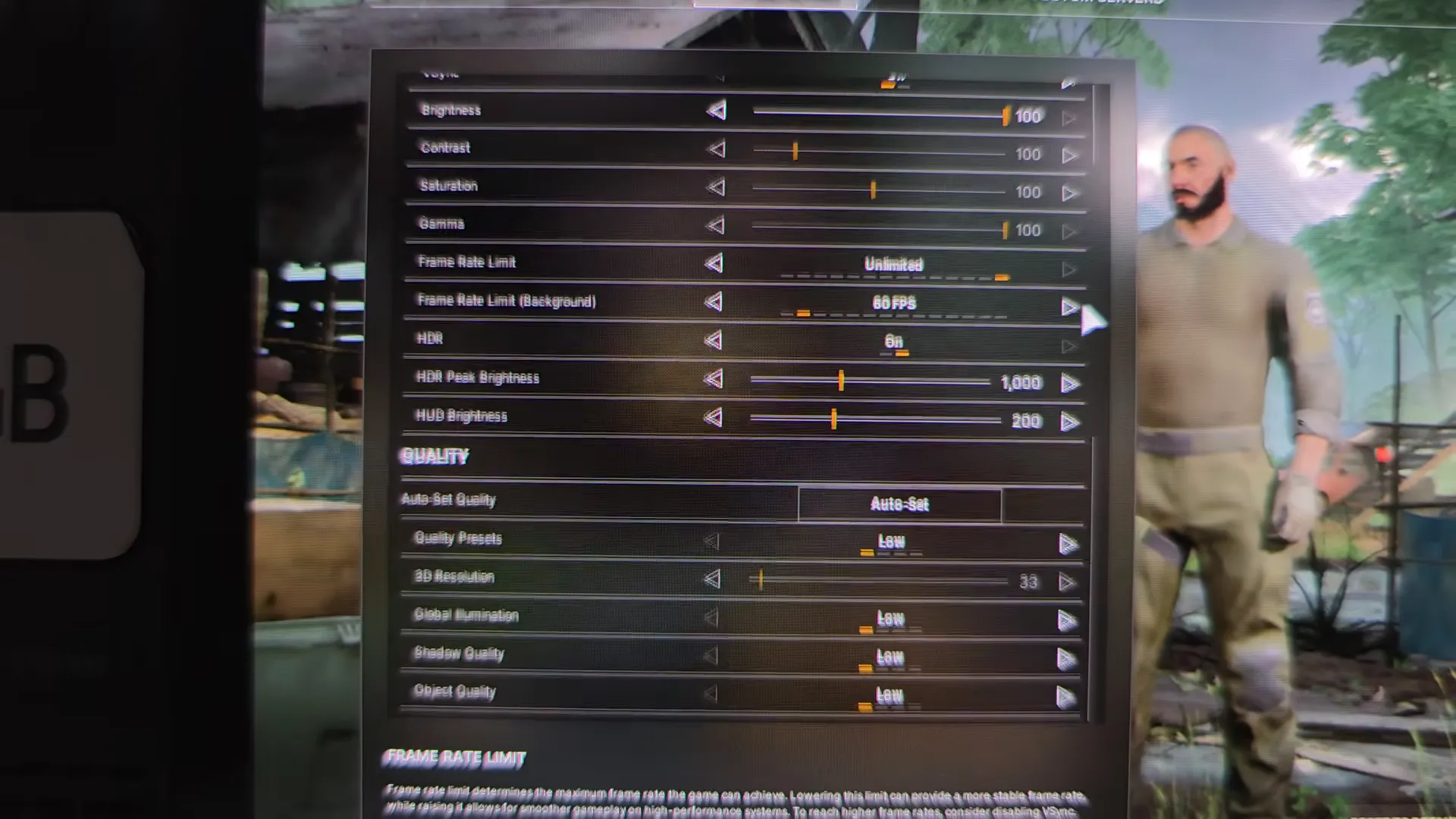
The in-game graphics menu on Steam Deck: quality preset Low, 3D resolution 33, and the frame rate limit set to Unlimited.
Shown at 02:03 in FreddysGamingBenchmarks’s video.| Setting | Value |
|---|---|
| Window mode | Fullscreen |
| Resolution | 800p |
| Quality Presets | Low |
| 3D Resolution | 33 |
| Global Illumination | Low |
| Shadow Quality | Low |
| Object Quality | Low |
| Frame Rate Limit | Unlimited |
At these settings the game sits at 31 FPS with frame times of about 30 ms, while the GPU runs at 97% and the CPU at 94%. That is playable for looting and travel, but firefights will feel heavy.
Leave the Frame Rate Limit on Unlimited. A cap only helps when you have headroom, and the Deck is already maxed out at these settings.
How should you set up Steam Input and Steam Deck controls?
Use a community controller layout from Steam Input instead of building one from scratch.
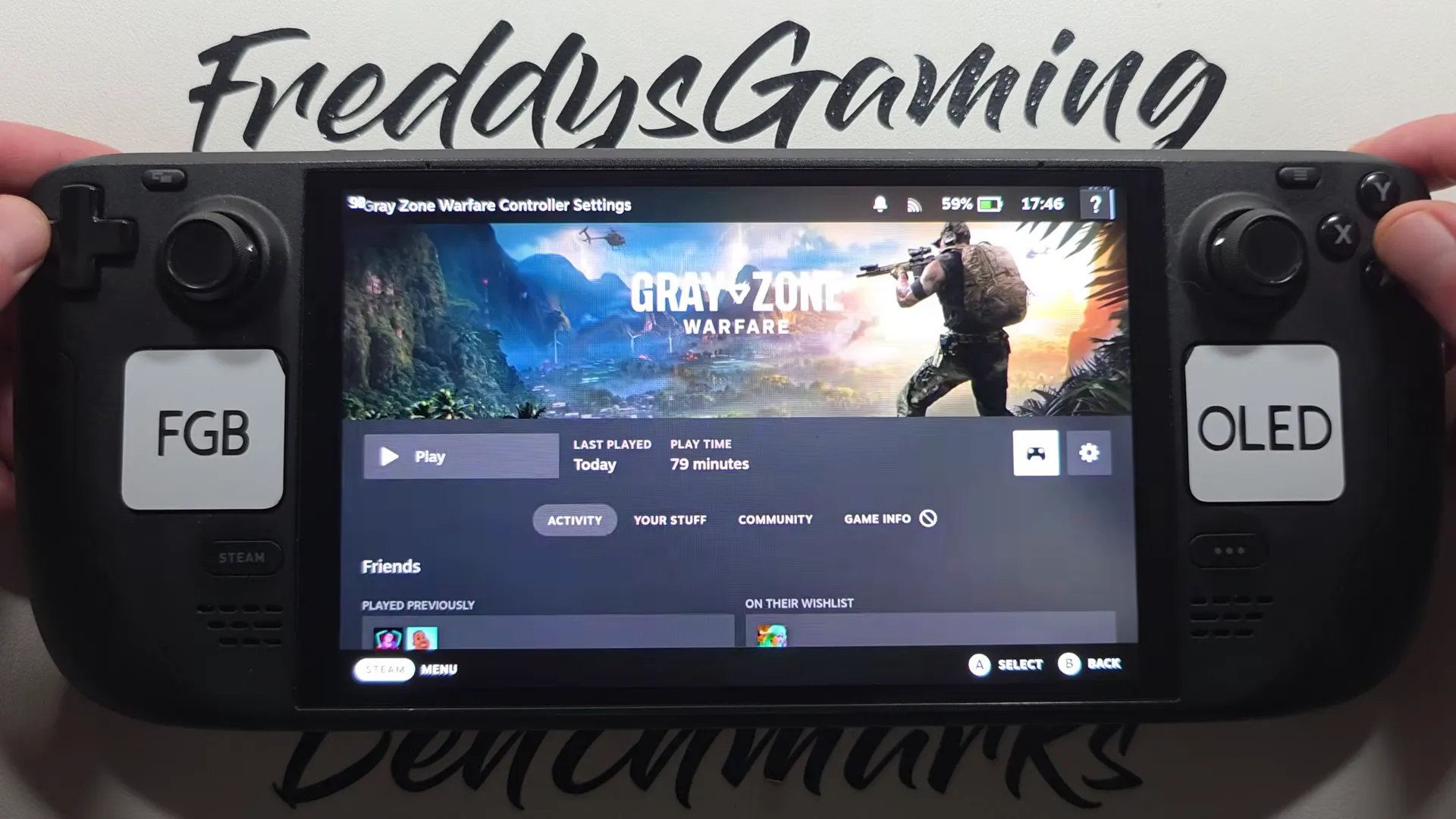
The controller button next to Play opens the game's Steam Input settings, where you can pick a community layout.
Shown at 00:21 in FreddysGamingBenchmarks’s video.Press the controller icon next to Play, open the layout browser and pick a community layout. If you want to move actions around afterwards, the Gray Zone Warfare keybinds page lists which key each action uses.
This page is about the Steam Deck handheld. Elgato Stream Deck is a different device.
How do you troubleshoot Steam Deck crashes, stutter, and anti-cheat errors?
Update first, then match the symptom to its fix.
EAC Client Violation on launch
Install the Rogue Ops update. It fixed the Linux bug where playing the game modified two game files and the next launch failed with this error.
Crashes to the Steam Deck menu
Use the Gray Zone Warfare crash fixes: verify the game files and reset the config folder before anything else.
Stuck on connecting
That is a server or queue problem, not a Deck problem. Check Gray Zone Warfare server status.
Once you are in a match at around 30 FPS, the setup is working. Set up your buttons next with the keybinds page.
FAQ
No. Steam lists it as unsupported on SteamOS, but it still launches and plays through Proton 11.0-2.
No. It only stops the EAC Client Violation error caused by modified game files on the next launch. The game is still listed as unsupported.
About 30 FPS on update 0.5.0.1, with the Low preset, 800p and 3D Resolution at 33.
Pick a community layout from the controller button next to Play, then adjust actions using the keybinds page.
The Rogue Ops update on October 22, 2026 fixed it.